Eliminate Annoying Messages In KDE4
by AndrzejL
I had to move from a Packard Bell EasyNote W3301 laptop to my Acer Travelmate 2420 due to a hardware failure. I moved the hard drive from one lappy to another. This was a little “hacky,, but it worked.
The first thing I noticed was a “Battery broken” annoyance each time my machine would boot to KDE4. Yes, thank you, I know the battery sucks and that I cannot afford a new one. Now please bugger off and stop rubbing the fact in.
I finally got rid of it. Here is how.
Open konsole and type in:
systemsettings
followed by the <Enter> key.
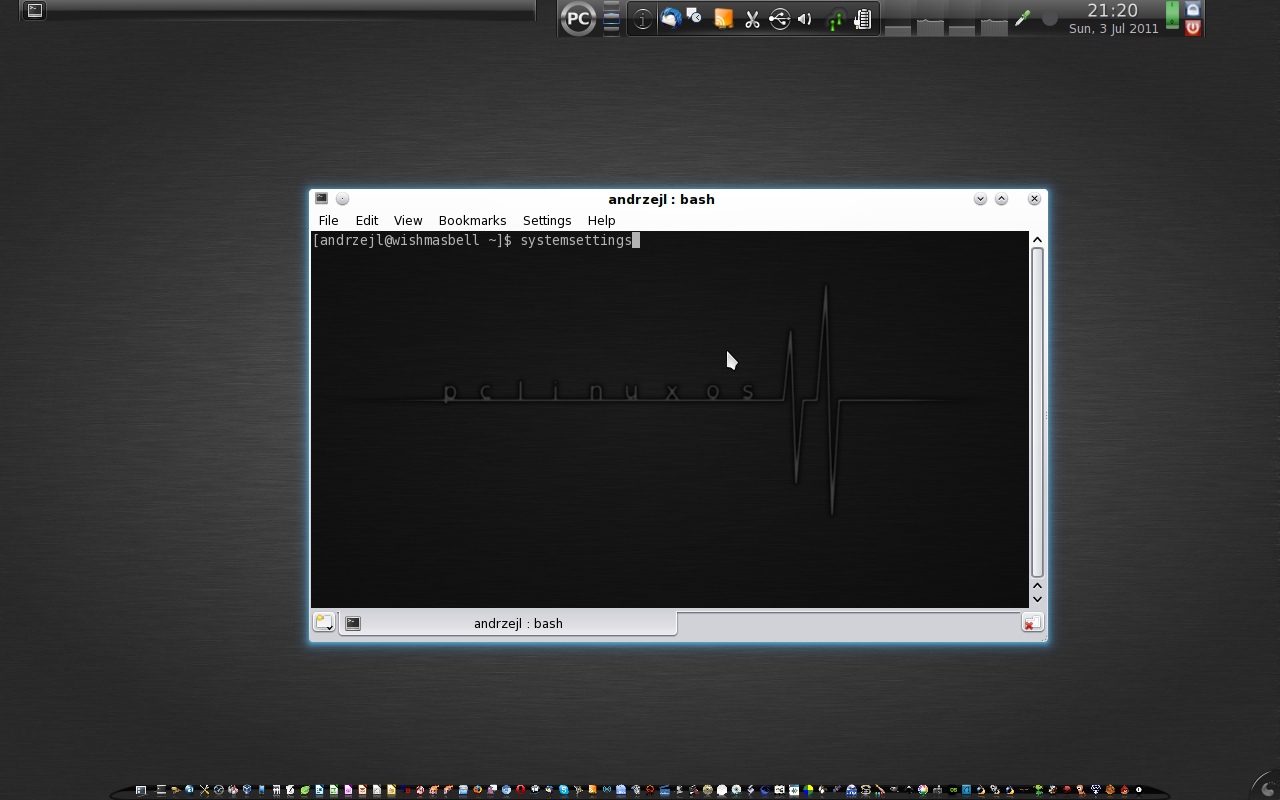
The KDE4 Control Center will pop up. Now go to Hardware > Power Management > Global Settings.
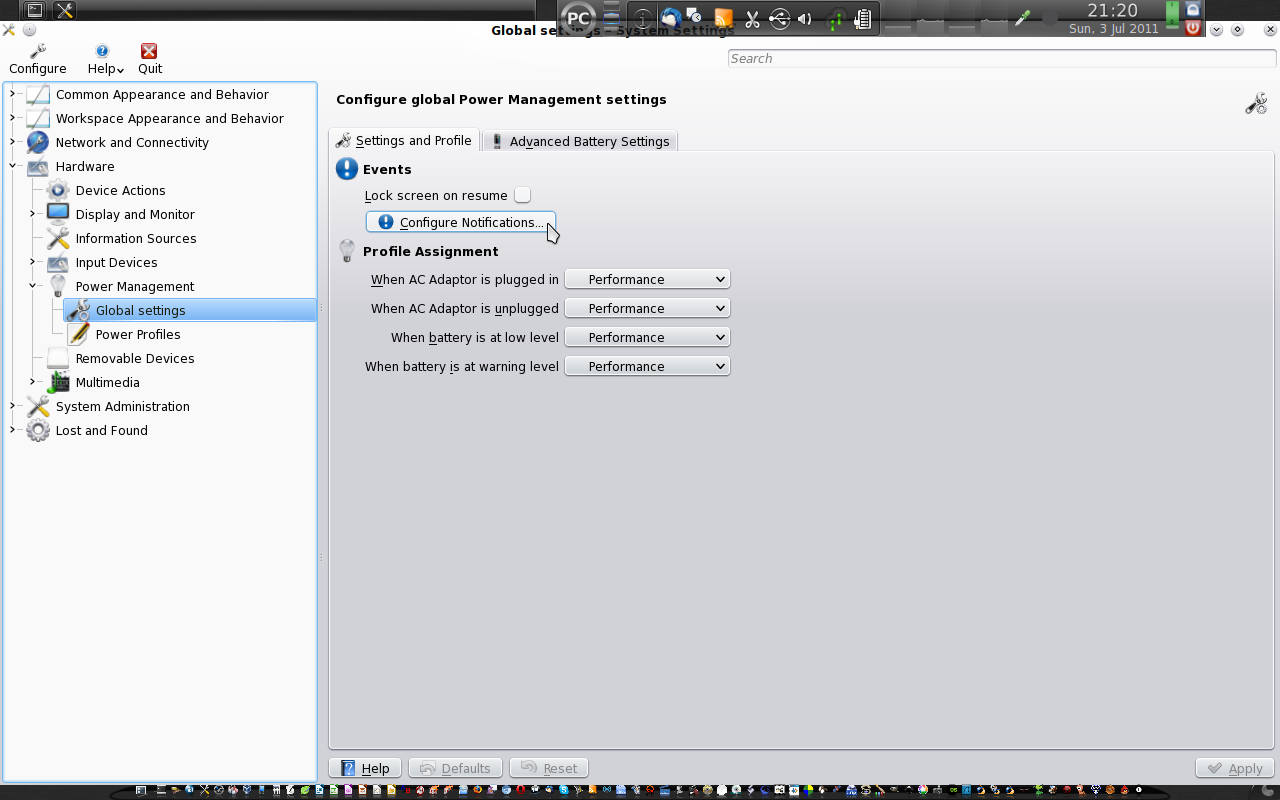
Now click on the Configure Notifications button. A new window will pop up. Look for a Broken battery notification entry and click on it.
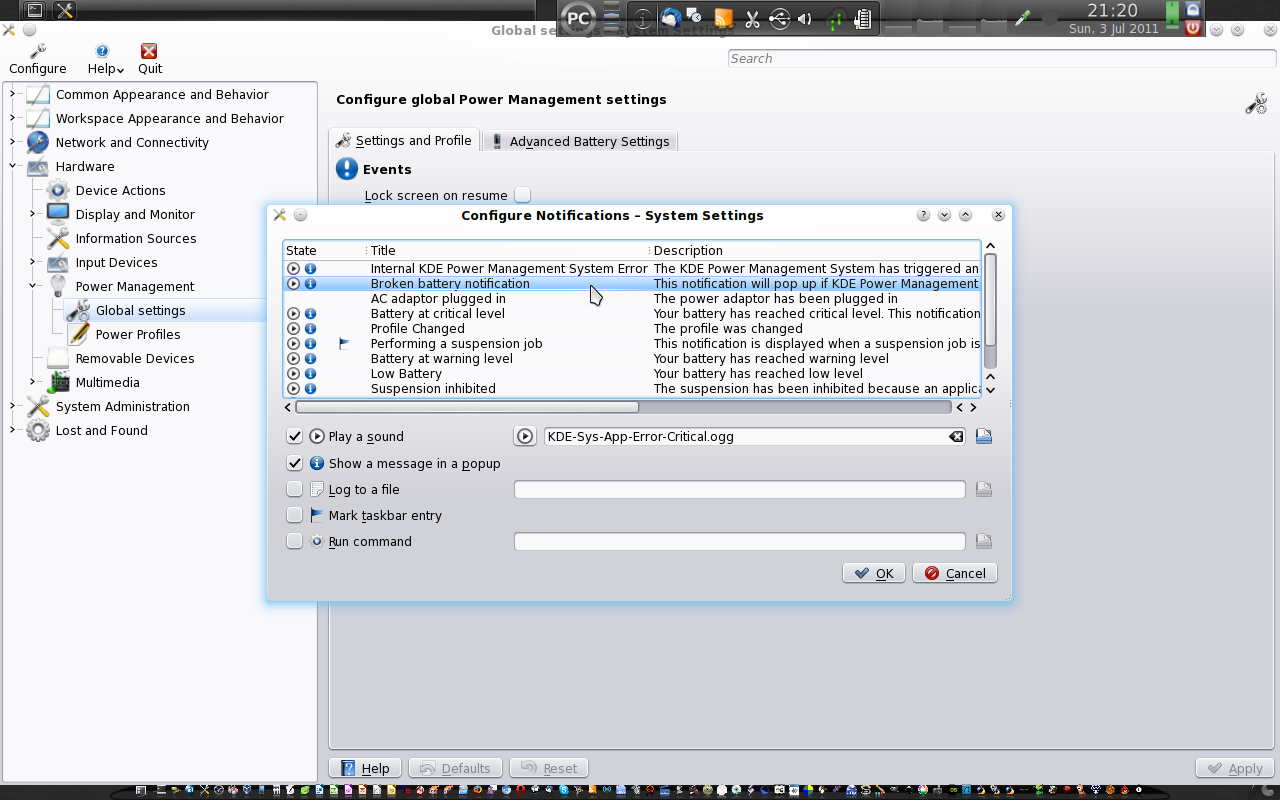
Now uncheck the Play a sound and Show a message in a popup boxes. Click on the OK button to close the window, then close KCC and Konsole.
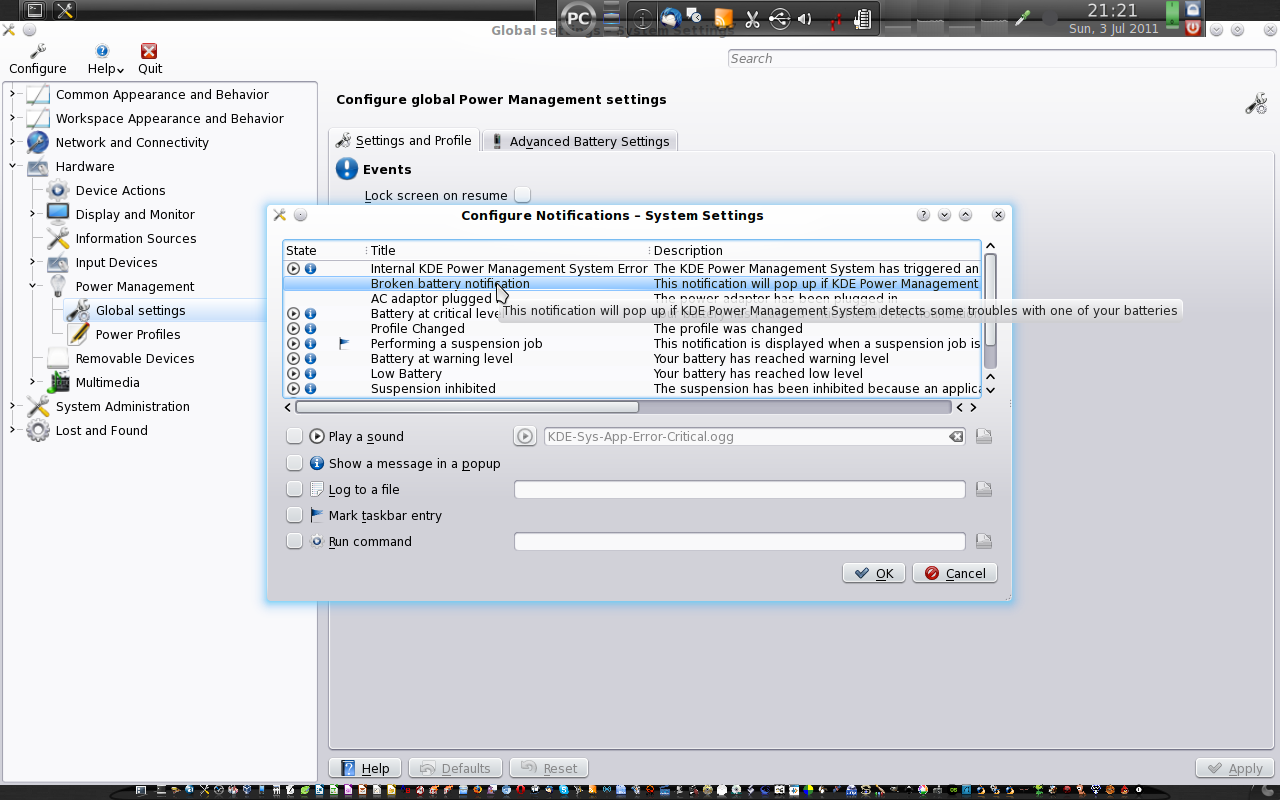
On next
reboot/log in, the annoying message won’t bother you any more.