| Previous Page |
PCLinuxOS Magazine |
PCLinuxOS |
Article List |
Disclaimer |
Next Page |
Tip Top Tips: Using DNF Package Manager With Openbox |
|
Editor’s Note: Tip Top Tips is a semi-monthly column in The PCLinuxOS Magazine. Periodically, we will feature – and possibly even expand upon – one tip from the PCLinuxOS forum. The magazine will not accept independent tip submissions specifically intended for inclusion in the Tip Top Tips column. Rather, if you have a tip, share it in the PCLinuxOS forum’s “Tips & Tricks” section. Occasionally, we may run a “tip” posted elsewhere in the PCLinuxOS forum. Either way, share your tip in the forum, and it just may be selected for publication in The PCLinuxOS Magazine. This month’s tip is from kalwisti. I've been able to get the new DNF Package Manager working on Openbox. There were only a few (simple) adjustments needed. Brief instructions are below for Openbox users who might be interested in trying this. I had installed DNF Package Manager ["DNF PM"] but when I ran it for the first time, there were approx. 35 packages listed as upgradable (most of them were KDE-related). However, DNF PM could not successfully upgrade those packages because there were conflicts between the old/obsolete kde5 packages and the new kde6 packages. The root of the problem was that my "Section(s):" listing in Synaptic included the now missing kde5 section. (KDE 5 is no longer supported, so that section of the repository is gone.) In my case, the main offending programs were: Flameshot, Ksnip and KolourPaint (and their dependencies). To fix this, I did the following: First, I removed (via Synaptic): Flameshot, Ksnip, KolourPaint. In Synaptic, I changed the kde5 section to kde6: 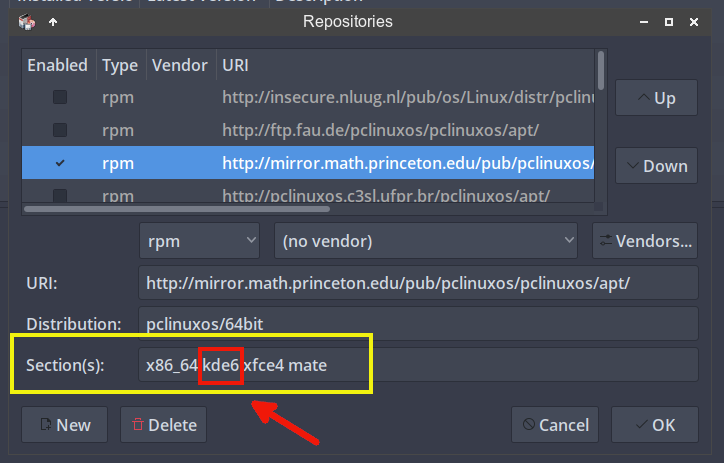 I updated the system via Synaptic. Via Synaptic, install the dnf-package-manager package. It will install approx. 20 additional packages as dependencies. I opened DNF PM and changed its default repo mirror (NLUUG) to my preferred mirror in the US (Princeton University). 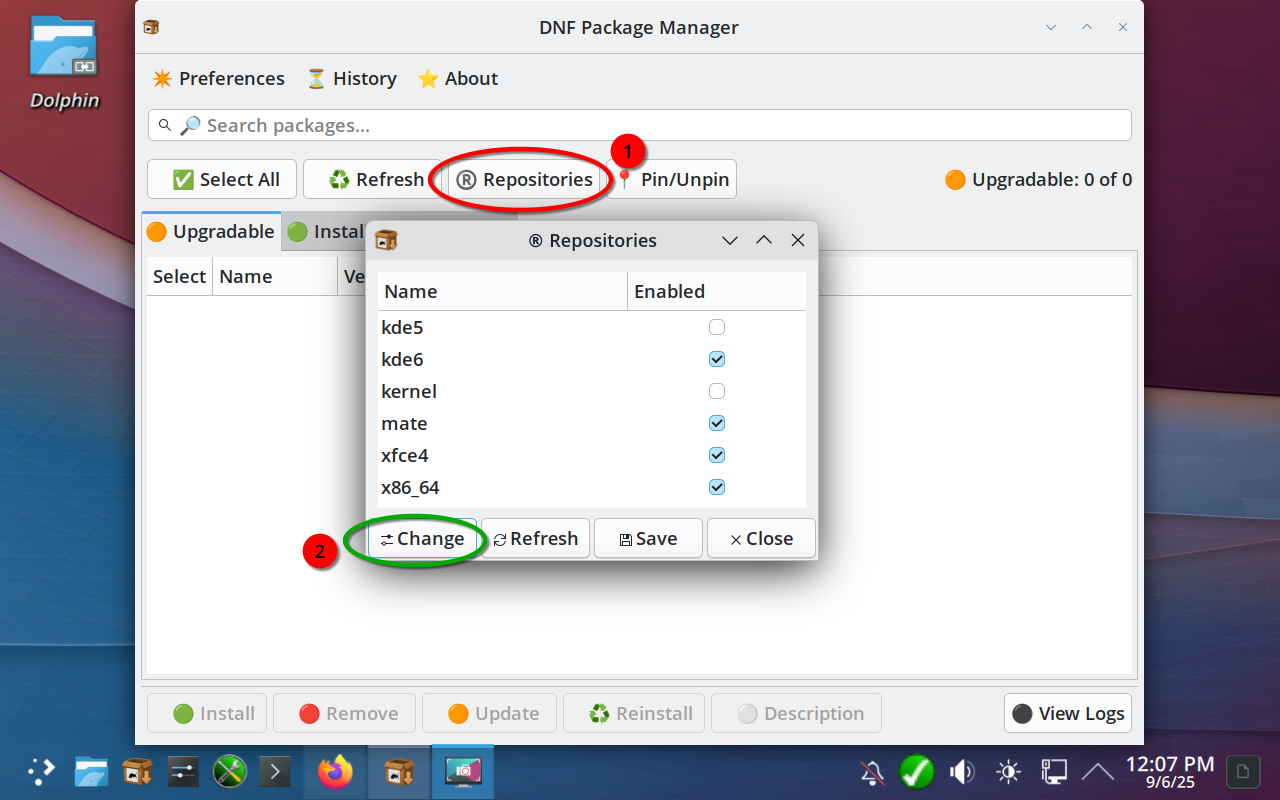
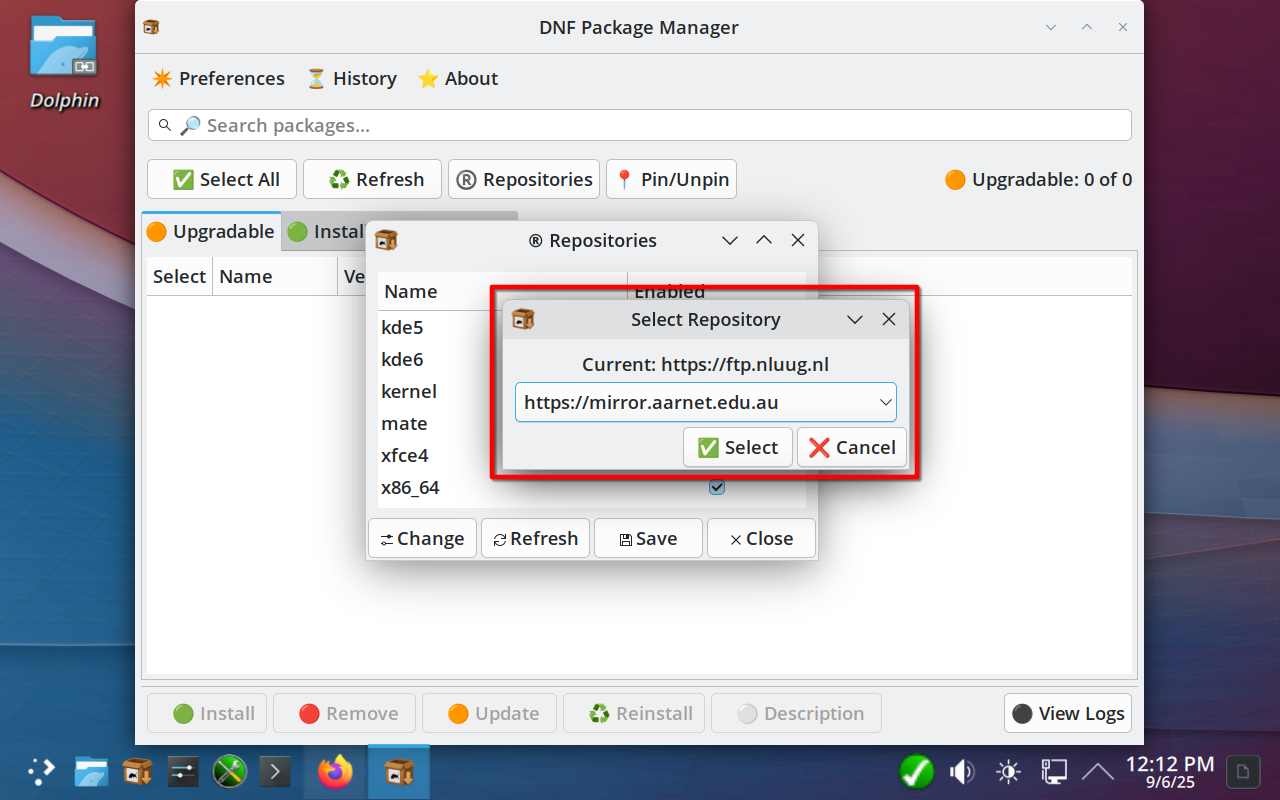 Important: Do not disable any of the default Section settings in the repository list. In other words, do not disable the kde6 Section and do not select/tick kde5 to activate it. I opened the DNF Package Manager and refreshed the package list. No more pending updates were shown. I installed Flameshot via DNF PM. The transaction succeeded with no problems. Both package managers are working smoothly now, but I am primarily using DNF PM. |