| Previous
Page |
PCLinuxOS
Magazine |
PCLinuxOS |
Article List |
Disclaimer |
Next Page |
The Death Of Windows 10: It's Worse Than You Think |
by Alessandro Ebersol (Agent Smith)
 On October 14, 2025, Microsoft ended support for Windows 10. Now, the notable mention here is that at least 40% of computers worldwide still run Windows 10 and will not upgrade to version 11. That’s because they do not meet the requirements (the TPM 2.0 module, among others, which we will see below). The requirements are so high that, according to a survey by Lansweeper, only 44.4% of computers in use in companies meet Microsoft's requirements for the new operating system.
 So, what are the requirements for Windows 11? Let's take a look: Intel Core processor above 7th generation; 7th-gen Core i7-7500U “Kaby Lake” does not meet the requirements. AMD Ryzen 2000 processor and above, meaning all machines manufactured in 2017. 2017, 8 years ago, powerful machines capable enough to run any operating system. But not Windows 11. After all, Microsoft cares about the security of its customers, right? Right? Of course not. Not to mention the TPM 2.0 module, which was a standard that Microsoft launched in 2015. That is, 10 years ago. But first, let's analyze what it means to migrate to Windows 11, and then analyze what personal computing under the domain of TPM 2.0 might mean.
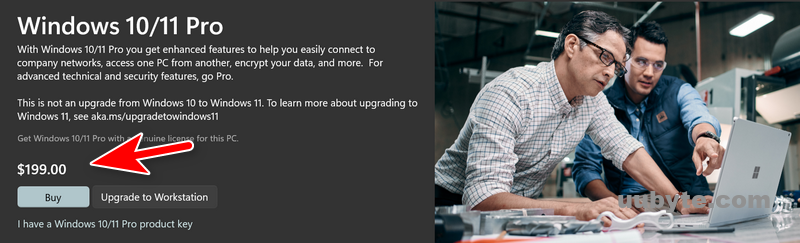 Well, let's say you have a computer that meets the requirements for Windows 11, an Intel CPU above the 7th generation or AMD above Ryzen 2000, and a chip or TPM 2.0 module. The next step would be to purchase a license for Windows 11 and install it. The prices, in dollars, are: • Windows 11 Home: $139.99. • Windows 11 Pro: $199.99. Now, after purchasing a copy of Windows 11 and ensuring your computer meets all the requirements, you will need to follow these steps to install it:
Well, let's say you managed to install Windows 11 normally, with a remote account, and were able to log into your computer with your Microsoft account. So far, so good. Right after installation, Windows 11 will encrypt your computer's hard drive with Bitlocker (Microsoft's encryption technology). All in the name of security... Again, it is possible to install Windows 11 without disk encryption, but again, with methods that bypass the official installation mode, and which may violate the Windows 11 EULA. But that's not all. With Windows 11, Microsoft encourages users to use One Drive, its cloud storage service, in several ways:
Again, there are ways to prevent One Drive from taking control of your personal computer's hard drive, but they involve methods that circumvent the official installation measures. What a wonderful operating system Windows 11 is... Integrated with Microsoft's cloud services. A technological marvel, what could go wrong? Everything, as we will see below.
As we saw above, Windows 11 forces disk encryption and Microsoft cloud as backup/additional storage. Encryption with Bitlocker is the icing on the cake, and it only makes something that wasn't very good to begin with even worse. I searched the internet and found many results from users angry about their disks being corrupted with Bitlocker. To test this out, I asked an AI if Bitlocker was as bad as my research had shown. And the AI replied that no, it was an industry standard used worldwide, etc. Well, it's kind of like flying in an airplane: it's the safest means of transportation there is, but when a plane crashes, everyone dies. And no one wants to lose their most precious data in a file system corruption. But don't worry: With OneDrive, your personal data will be safe in the Microsoft cloud… Except that's not quite how it works.
 Now, One Drive comes with 5GB of free storage. But 5GB of data is nothing. No one has only 5GB of personal files that are truly valuable. People have much more than that. Of course, additional disk sizes have different plans, which are obviously larger and more expensive. So, the user pays for the Windows 11 license... And then spends the rest of their life paying Microsoft to back up their data that Microsoft itself encrypted and, due to some spurious failure, the file system may be corrupted, or the access key may be lost, rendering the system useless. Yes... Windows 11 is the first Microsoft operating system that comes with ransomware pre-installed. What an innovation!!! And we haven't even touched on TPM 2.0 yet!!! But, frankly, all these security “measures” are what is known as Security Washing.
 The term “Security Washing” is a concept that describes the practice of a company or organization promoting or exaggerating the effectiveness of its security measures in such a way that the result is more of a marketing benefit than real and substantial protection for the user. It is a direct analogy to the term Greenwashing (when companies exaggerate their ecological practices). In the context of Windows 11, TPM, and BitLocker, the argument of “Security Washing” manifests itself when:
In short, security washing is the act of replacing real security with convincing security rhetoric. And again, I researched, with the help of AI, what remote boot time attacks exist. And this is what the AI replied: Statistically, there is no boot time attack if the attacker does not have physical access to the machine. Consequently, all the security makeup that Windows 11 now presents is just that: makeup. Or, as the AI itself wrote, "Windows 11 promotes TPM and BitLocker as the cutting edge of security. However, this security is an illusion against real threats. In practice, it is a compliance tool for businesses and an effective barrier only against opportunistic thieves, while serving Microsoft's purpose of accelerating the sale of new hardware under the guise of security." What about TPM 2.0? Let's see.
What is TPM (Trusted Platform Module)? A Trusted Platform Module (TPM) is a secure cryptoprocessor that implements the ISO/IEC 11889 standard. Common uses are to verify that the boot process is initiated from a trusted combination of hardware and software and to store disk encryption keys. The first version of TPM deployed was 1.1b in 2003. The Trusted Platform Module (TPM) was designed by a computer industry consortium called the Trusted Computing Group (TCG). This consortium was initially formed by companies such as Intel, AMD, IBM, Microsoft, and Cisco. It evolved into the TPM Core Specification Version 1.2, which was standardized by the International Organization for Standardization (ISO) and the International Electrotechnical Commission (IEC) in 2009 as ISO/IEC 11889:2009. The TPM Core Specification Version 1.2 was finalized on March 3, 2011, completing its review. Version 2.0, which Windows 11 requires, was released in 2015. Now, let's reflect a little on all this, shall we?
 As we saw above, all the requirements for Windows 11 (UEFI secure boot, TPM 2.0, remote accounts) were not designed to improve the lives of ordinary Windows users, but to increase Microsoft's power over these users and make them increasingly dependent. And now we will look at the flaws and debatable points of these technologies:
Other than that, there are other issues related to these TPM-based security schemes: The TrueCrypt disk encryption utility, as well as its derivative VeraCrypt, do not support TPM. The original developers of TrueCrypt are of the opinion that the sole purpose of TPM is to “protect against attacks that require the attacker to have administrator privileges or physical access to the computer.” An attacker with physical or administrative access to a computer can bypass the TPM, for example, by installing a hardware keylogger, resetting the TPM, or capturing the memory contents and recovering the keys issued by the TPM. The TrueCrypt/VeraCrypt team has produced a damning report on the subject, going so far as to claim that the TPM is completely redundant. The editor of VeraCrypt reproduced the original claim without any changes, except for replacing “TrueCrypt” with “VeraCrypt.” The author is correct in stating that, after gaining unrestricted physical access or administrative privileges, it is only a matter of time before other security measures in place are circumvented. In other words, as I wrote above, for an attacker with physical access to the machine, all these security measures are useless and superfluous. Of course, for a corporate environment, these measures have their raison d'être. But for general-purpose computing, home computing, and education, these measures are more of a hindrance than a help. Again, I asked the AI to list domestic situations where security measures are useless. 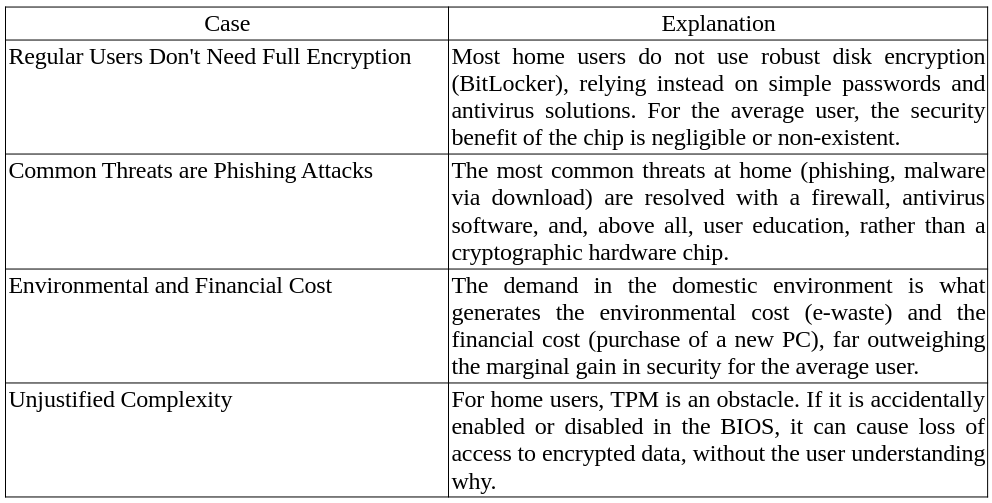 There is criticism from both the Open Source (BSD) and Free Software (GNU Linux) communities. 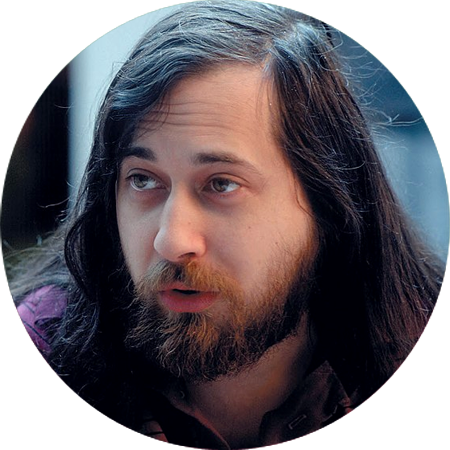 In 2015, Richard Stallman suggested replacing the term “trusted computing” with the term “treacherous computing,” due to the danger that the computer could be programmed to systematically disobey its owner if the cryptographic keys are kept secret. He also considers that the TPMs available for PCs in 2015 are not currently dangerous and that there is no reason not to include one in a computer or support it in software due to the industry's failed attempts to use this technology for DRM, but that the TPM 2.0 released in 2022 is precisely the threat of “treacherous computing” that he had warned about. 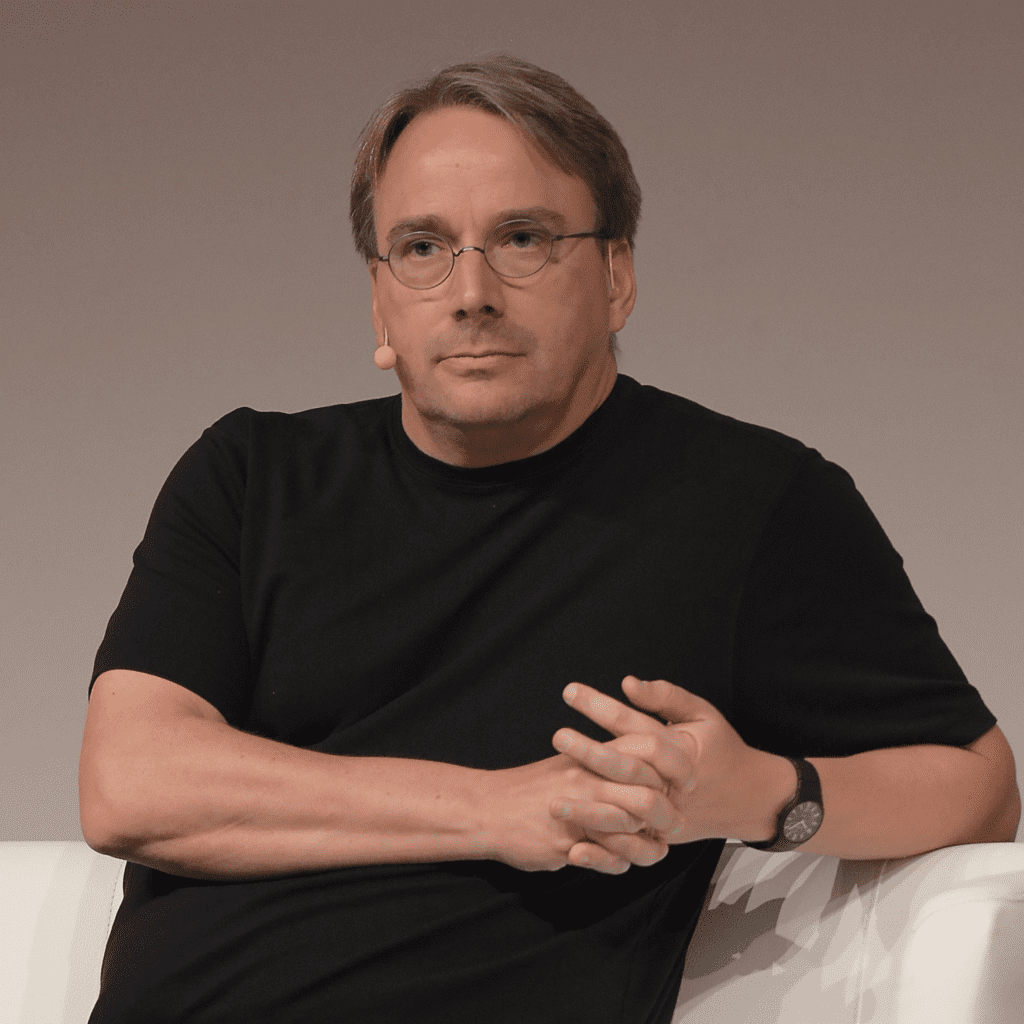 Linus Torvalds also expressed his dissatisfaction in 2023, frustrated with AMD's fTPM bugs, saying, “Let's just disable this hwrnd fTPM crap.” He said that CPU-based random number generation, rdrand, was equally adequate, despite also having its bugs. On the BSD side, the FreeBSD community sees TPM 2.0 not as a necessary advancement, but as a lock-in mechanism that attempts to impose an external and opaque root of trust, undermining the principles of transparency, sovereignty, and total user control that are the foundation of an open-source operating system like FreeBSD. They prefer security solutions that are fully inspectable in the kernel. However, it gets worse. Much worse with Remote Attestation.
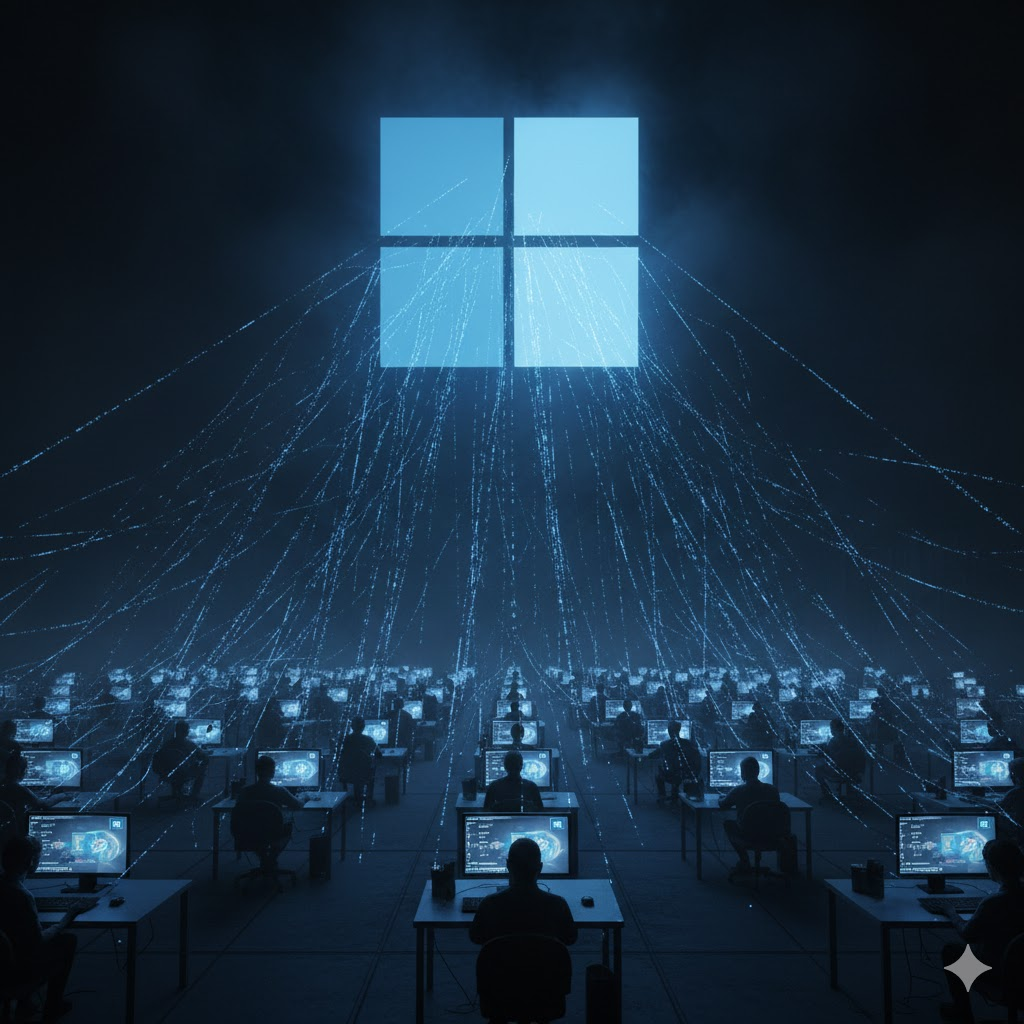 Remote Attestation is a cryptographic process by which a device proves, in a reliable and tamper-proof manner, that it is operating in an expected software and hardware state, free from malicious manipulation. How does remote attestation work? Let's take a look: TPM is the essential component for this to work, as it is the unalterable “root of trust”:
The Result:
However, the worst is yet to come:
But I use PCLinuxOS!!! For me, these Microsoft things have no effect!!! That's where you're wrong. As this “security” scheme (TPM+UEFI) has become an industry standard, the new normal is that all computers come with these useless and superfluous devices, at least for home users. And, obviously, with all these restrictions, it will become increasingly difficult to use any operating system other than the one that comes factory-installed with the machine. Thus, open and free computing will become a niche, which only people who understand the dangers of all this control by big tech over users will be part of. And everything that belongs to niches is usually expensive and scarce. Is there any hope? We will see below.
Computers manufactured in China cannot use the TPM module, due to the risk of a massive attack on the country's computing infrastructure. Computers sold to the West may come with TPM modules and all the UEFI kludge, but only to meet the requirements of Western markets. If you can buy computers that are sold domestically in China, the so-called gray market, it is a great solution for free personal computing. China has its own encryption module standard, the TCM (Trusted Cryptography Module), but it does not come with computers sold outside the country. China understands well the danger that these measures represent, but unfortunately, here in the West, there are not many people/organizations that are aware of the inherent harms of this “security” scheme. Fortunately, the usual suspects have spoken out, and as always, they do not disappoint: • Free Software Foundation (FSF) The FSF (and its founder, Richard Stallman) has been one of the most vocal and consistent critics. Main criticism: UEFI Secure Boot (and, by extension, TPM) is seen as “tivoization” (a term referring to hardware restriction) that poses a direct threat to software freedom. • Electronic Frontier Foundation (EFF) The EFF (which focuses on digital rights and privacy) criticizes these mechanisms from the perspective of user freedom and corporate control. Main Criticism: The EFF has expressed concerns that TPM and Secure Boot, while promoting security, can be used to restrict hardware usage and create barriers that limit what end users can do with their own computers (which aligns perfectly with your article's thesis). • The BSD Community (FreeBSD, OpenBSD, NetBSD) BSD distributions, known for their focus on open source, stability, and security, have also voiced criticism, albeit often more technical and pragmatic. Main criticism: The difficulty and complexity imposed by Secure Boot and the lack of native support. The focus is more on the difficult implementation and the need to manage keys to ensure that their systems can boot.
Friends, I was very moved when writing this article. I have been using computers since 1983, when I received a clone of the English ZX 81 as a birthday present. Since then, I have been increasingly amazed by the evolution and capabilities of computers. However, for the past 20 years or so, I have been increasingly disappointed with the direction things are taking. Computers will become useless pieces of equipment that do not serve their owners, but rather serve manufacturers, who will use them as tools of oppression and extortion of the general public. And I am not the only one raising these concerns: Criticism of the TPM 2.0 and UEFI Secure Boot requirements does not come only from frustrated users. Organizations such as the Free Software Foundation (FSF) and the EFF see these mechanisms as a strategy to limit digital freedom, transforming the PC, which was historically an open platform, into a restricted device where the owner does not have the final say on the software that runs on their own hardware. As for other sources, I researched the YouTube channels of the following gentlemen: Louis Rossman: https://www.youtube.com/@rossmanngroup Rob Braxman: https://www.youtube.com/@robbraxmantech And I used artificial intelligence to research some aspects I wasn't sure about and generate some images. Friends, I wish you all a Merry Christmas, and let's fight to continue using the programs and operating systems we want, and let's say a resounding NO to the tyranny of these dishonest manufacturers. |