| Previous Page |
PCLinuxOS Magazine |
PCLinuxOS |
Article List |
Disclaimer |
Next Page |
Setting Up a DIY NAS with OpenMediaVault, Part 2 |
|
by David Pardue (kalwisti)
After you have designated/added the storage disk from your NAS PC, created a shared folder for NAS storage, enabled the SMB/CIFS service and configured user access, you will need to test your setup to verify whether you can access your shared NAS folder. The subsections below illustrate how to access the shared NAS folder in KDE Plasma (Dolphin file manager), Xfce (Thunar file manager), MATE (Caja file manager), Openbox and/or LXDE (PCManFM file manager). KDE Plasma 6.5.5 (Dolphin File Manager) On the left side panel, look for Remote > Network. Click on the Shared Folders (SMB) folder to open it. 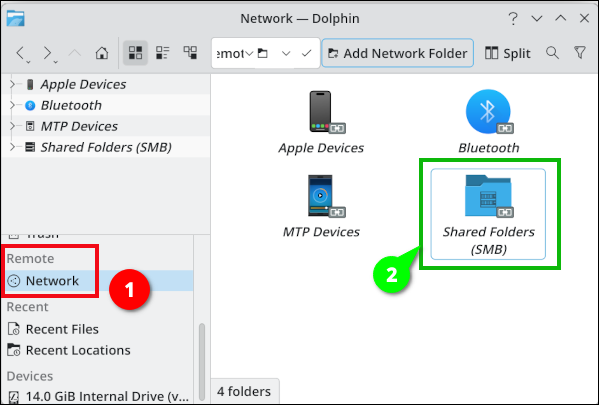 In the Location bar, type: smb://yourusername@NAS.IP.address/Name_of_Your_Shared_NAS_Folder/ In my case, this is: smb://david@192.168.0.156/AnaNAS/ (I named our shared NAS folder "AnaNAS." "Ananas" is the word for ‘pineapple’ in a variety of languages; I thought it would be a fruity tip of the hat to my original plan of using a Raspberry Pi for this project.)  An Authentication dialog opens. Type in your NAS user password (the one that you chose in OMV's workbench). Click on the OK button. The shared NAS folder should open. 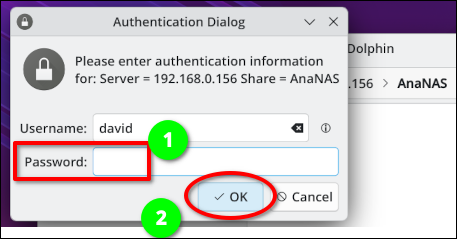
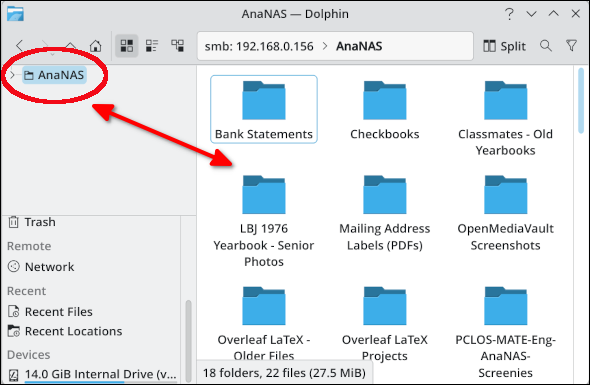 Right-click in an empty space of the shared folder display. Choose "Add to Places." 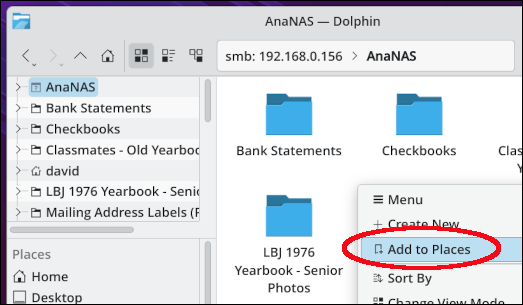 An entry for the shared NAS folder should appear in Places > under the Network category. 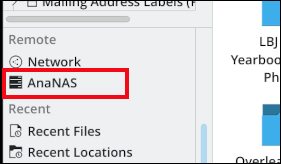 After configuring this, the next time that you log in to KDE Plasma and click on the shared NAS folder entry, you will see an Authentication dialog open. Type in your OMV NAS user credentials and click the OK button. Your shared NAS folder should open. 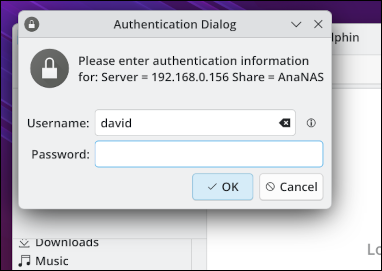
Open Thunar. In the Location bar, type: smb://yourusername@NAS.IP.address/Name_of_Your_Shared_NAS_Folder/ In my case, this is: smb://david@192.168.0.156/AnaNAS/ 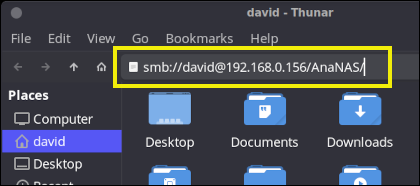 An Authentication dialog will open. Enter your OMV user password and click on the Connect button. 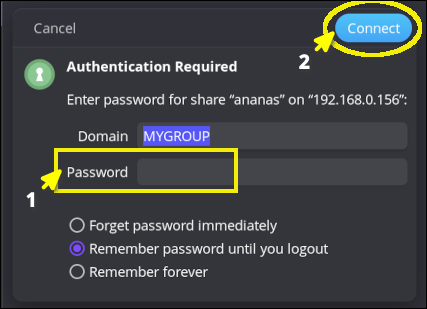 The shared NAS folder should open in Thunar. 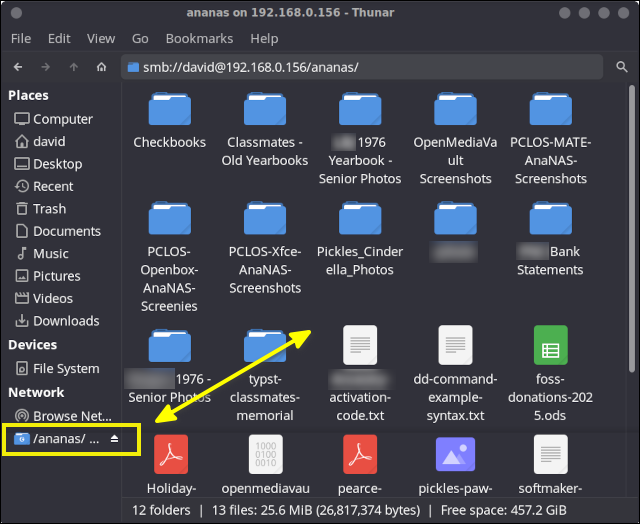 Afterwards, you can add a bookmark for your shared storage folder by clicking on the Bookmarks menu > and choosing Add Bookmark. 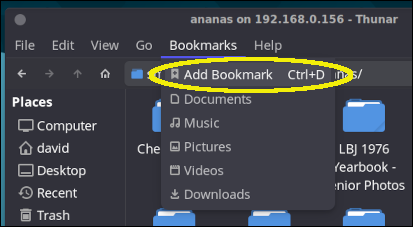
Open Caja. In the Location bar, type: smb://yourusername@NAS.IP.address/Name_of_Your_Shared_NAS_Folder/ In my case, this is: smb://david@192.168.0.156/ananas/ 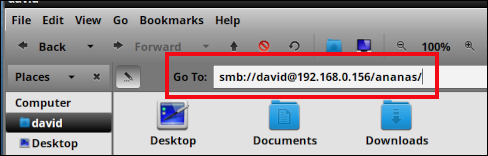 An Authentication dialog will open. Enter your OMV user password and click on the Connect button. 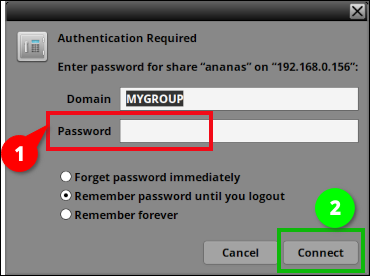 The shared NAS folder should open in Caja. 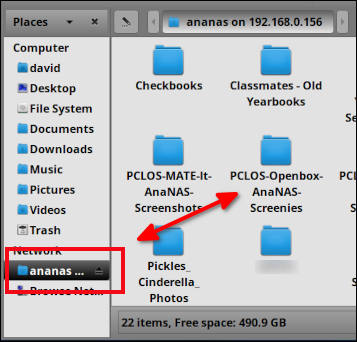 Afterwards, you can add a bookmark for your shared storage folder by clicking on the Bookmarks menu > and choosing Add Bookmark. 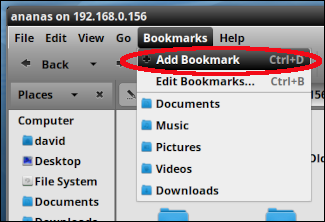
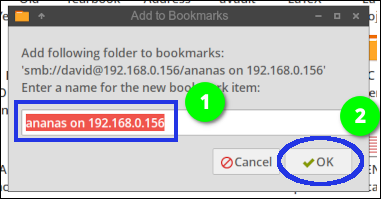
Open PCManFM. In the Location bar, type: smb://yourusername@NAS.IP.address/Name_of_Your_Shared_NAS_Folder/ In my case, this is: smb://david@192.168.0.156/ananas/ 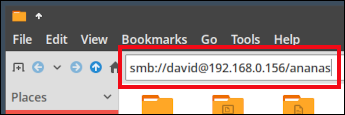 An Authentication dialog will open. Enter your OMV user password and click on the Connect button. 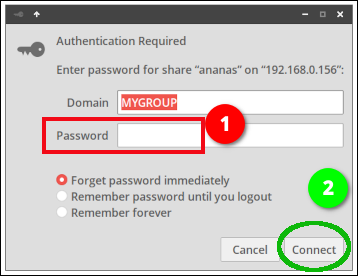 The shared NAS folder should open in PCManFM. 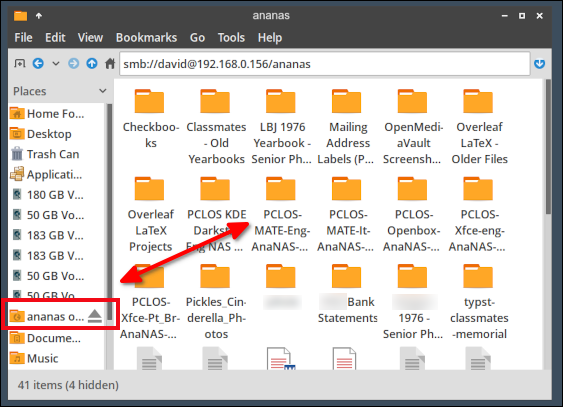 Afterwards, you can add a bookmark for your shared storage folder by clicking on the Bookmarks menu > and choosing Add to Bookmarks. 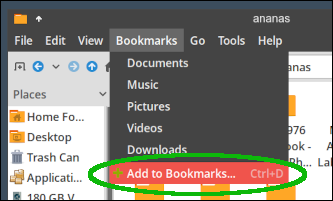
I hope that my article has somewhat demystified the process of setting up a DIY NAS. Our network knowledge is basic, but my son and I were able to create/configure a NAS — thanks to OMV and some excellent online guides. We enjoyed tackling this project together; we gained an appreciation for hardware and software that simplifies the arcana of networking protocols. The total cost of the components was around $225, which was almost the same price as a CanaKit Raspberry Pi 5 Starter Kit (8 GB) plus the PNY 500 GB SSD that I purchased. Although I admire the ingenuity of the Raspberry Pi community and would like to experiment with one, I am happy with our DIY NAS solution. It has been performing well for our home office file sharing via SMB/CIFS and FTP.
Barnatt, Christopher. Explaining Computers. “Mini PC OpenMediaVault NAS” YouTube, 5 Nov. 2023. (19 min., 47 sec.) (Although this video is from 2023 and uses a superseded version of OMV [6.5.0], I recommend it because Prof. Barnatt provides clear, concise explanations.) OMV Forum (with a friendly community): https://forum.openmediavault.org/ Pande, Ayush. “Building a NAS with OpenMediaVault Is Easy — Here’s How It’s Done” XDA Developers, 7 Nov. 2024. |